

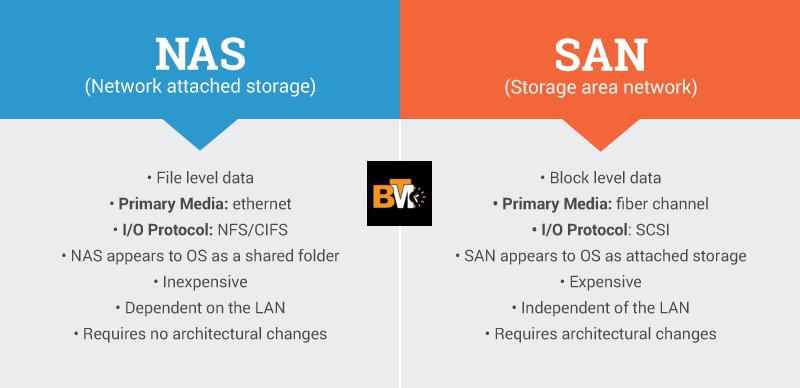
In today’s digital world, managing data efficiently is more important than ever. Whether you’re a home user, a creative professional, or a business owner, choosing the right storage solution can make a huge difference in how you store, access, and protect your files. The debate between Network Attached Storage (NAS) and Traditional Storage (like external hard drives or USB drives) is a common one, but which one is right for you?
This guide will break down the key differences between NAS and traditional storage, helping you decide which option best fits your needs. From accessibility and scalability to cost and performance, we’ll cover everything you need to know to make an informed decision.
Understanding the Basics: NAS vs. Traditional Storage
1.1 What Is Network Attached Storage (NAS)?
A NAS (Network Attached Storage) is a dedicated storage device connected to your home or office network. It allows multiple users to access files remotely via Wi-Fi or Ethernet, making it a versatile solution for data management.
Common uses of NAS include:
· Media streaming: Watch movies and listen to music on any device.
· File sharing: Collaborate with team members or family.
· Backups: Automatically back up important files.
· Personal cloud storage: Access your files from anywhere.
1.2 What Is Traditional Storage?
Traditional storage includes devices like external hard drives, USB drives, and direct-attached storage (DAS). These devices require a direct connection to a computer via USB, Thunderbolt, or SATA.
Common uses of traditional storage include:
· Local backups: Quickly back up files to an external drive.
· File transfers: Move large files between devices.
· Offline storage: Store data without needing an internet connection.
Key Differences Between NAS and Traditional Storage
Here’s a quick comparison of the two storage solutions:
| Feature | NAS Storage | Traditional Storage (HDDs, USB, DAS) |
| Accessibility | Accessible from any device on the network | Requires direct connection |
| Remote Access | Yes, via cloud or VPN | No (unless cloud-based) |
| Multi-User Support | Yes, multiple users can access at once | No, usually single-user access |
| Scalability | Expandable with additional drives | Limited to single drive size |
| Data Protection | RAID support, automated backups | Manual backups required |
| Performance | Fast network speeds (1GbE, 2.5GbE, 10GbE) | USB 3.0, SATA speeds |
| Cost | Higher upfront cost, lower in the long run | Lower cost but may require frequent upgrades |
When to Choose NAS Over Traditional Storage
3.1 NAS Is the Best Choice If You Need:
· Centralized storage: Store files in one place and access them from multiple devices.
· Remote access: Access your files from anywhere using a personal cloud or VPN.
· Media streaming: Stream movies, music, and photos to smart TVs, phones, and tablets.
· Automated backups & RAID redundancy: Protect your data with scheduled backups and RAID configurations.
· Scalability: Add more drives as your storage needs grow.
3.2 Traditional Storage Is the Best Choice If You Need:
· A simple, plug-and-play solution: Quickly connect a USB drive or external hard drive to your computer.
· Lower upfront cost: Traditional storage devices are generally cheaper than NAS.
· Portable storage: Carry your files with you using a USB drive or portable SSD.
· One-time large file transfers: Transfer files between devices without setting up a network.
Best NAS Solutions for Different Users
2-Bay NAS for Beginners & Home Users
· UGREEN 2-Bay NAS: Affordable, user-friendly, and perfect for personal storage. It supports RAID configurations for data protection and is ideal for backups and media streaming.
Setting Up NAS for Maximum Efficiency
Optimizing Network Speed for Faster File Access
· Upgrade to 2.5GbE or 10GbE: These faster network connections are ideal for handling large files and multiple users.
· Use wired Ethernet connections: Wired connections are more stable and faster than Wi-Fi.
Enabling Remote Access & Cloud Integration
· Set up a VPN: A VPN ensures secure remote access to your NAS.
· Sync with cloud services: Integrate your NAS with Google Drive, Dropbox, or OneDrive for seamless file management.
Automating Backups & Data Protection
· Schedule automatic backups: Regularly back up your data to external drives or the cloud.
· Enable RAID 1 or RAID 5: These RAID configurations provide redundancy and protect your data in case of drive failure.
Conclusion: Which Storage Solution Is Right for You?
Choosing between NAS and traditional storage depends on your specific needs:
· Choose NAS if you need multi-user access, remote availability, and expandability. NAS is ideal for home users, creative professionals, and businesses that require centralized storage and data protection.
· Choose traditional storage if you need a simple, low-cost, plug-and-play solution. Traditional storage is perfect for casual backups, portable storage, and one-time file transfers.
Final recommendation: For long-term scalability, security, and convenience, investing in a NAS is the smarter choice.
Call to action: Explore the best NAS storage today and optimize your data storage for a more efficient and secure future!